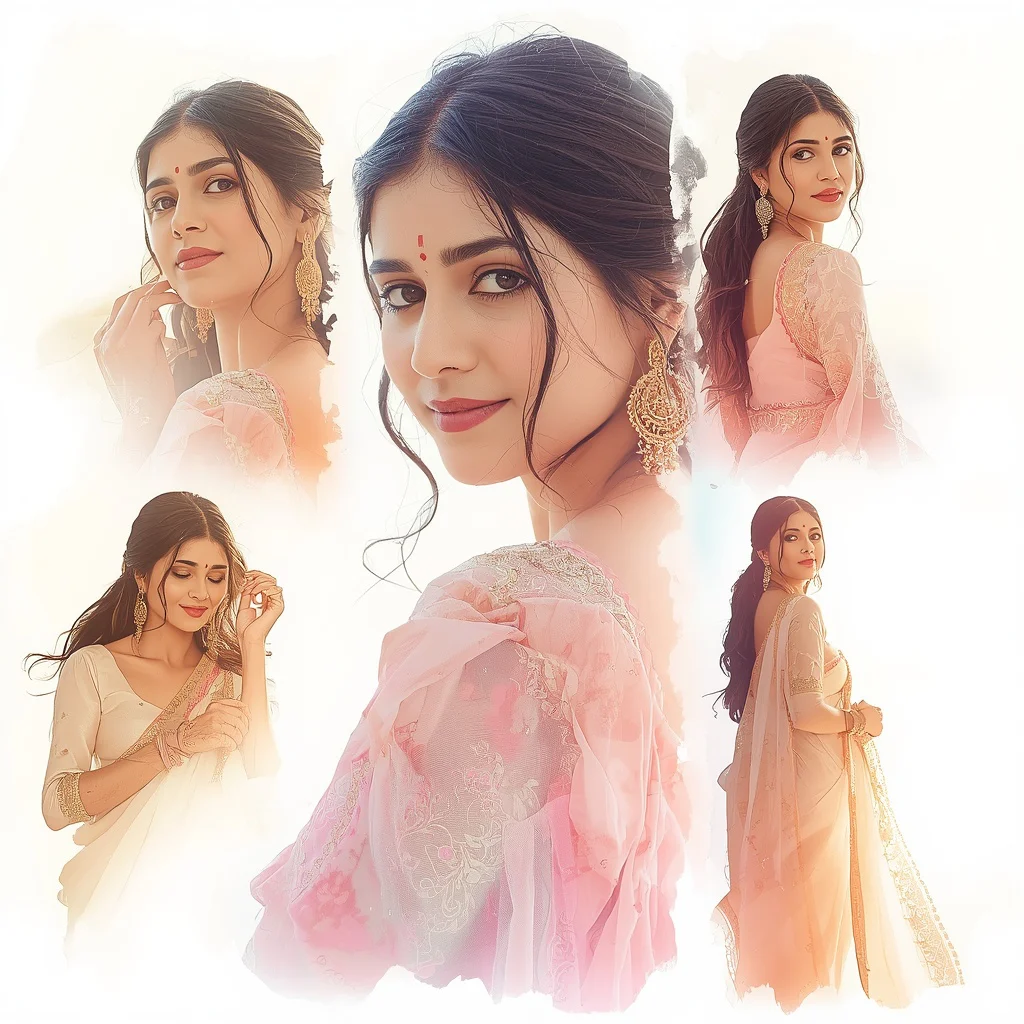
Ethereal Moonlight: Indian Woman under a Starry Sky | Ethereal Indian Woman
This prompt builds a portrait that feels suspended between earth and cosmos. It asks for an ethereal Indian woman bathed in moonlight, her sheer pastel chiffon saree catching the silver glow of a vast starry sky. Every detail works toward a serene, otherworldly mood.
The image thrives on softness and light. The hilltop setting, the outstretched arms, and the luminous skin all push the generator toward a dreamlike result. Understanding what the prompt truly wants helps you guide the AI toward a coherent, breathtaking picture instead of a cluttered night scene.
What this moonlit hilltop prompt is asking for
The prompt describes a full-body portrait of an Indian woman standing alone on a secluded hilltop, her body language open and calm. The saree is sheer pastel chiffon in midnight blue and silver, the makeup is iridescent and minimal, and the hair falls in loose romantic waves. The background is a clear starry night sky with a soft pastel horizon glow, and the overall lighting is diffused moonlight that gives the skin a silvery sheen.
- Sheer pastel chiffon saree in midnight blue and silver
- Full-body pose with arms gently outstretched
- Secluded hilltop under a vast starry sky
- Upward gaze toward the moon and stars
- Luminous silvery skin with iridescent makeup
- Loose romantic waves in long dark hair, shimmering in moonlight
The scene this prompt builds
The location is a "secluded hilltop under a vast, starry sky," and the figure is placed to dominate the frame while remaining part of the cosmic backdrop. The prompt sets the time deep into night, with "soft, diffused moonlight" as the only light source, creating a quiet, contemplative atmosphere. The horizon carries "a soft pastel glow," which adds depth without breaking the nocturnal mood.
The woman's interaction with the scene is active yet gentle. Her "arms gently outstretched, as if embracing the cosmic expanse" turns the portrait into a dialogue between the human form and the universe. The "upward gaze towards the moon and stars" anchors the emotional tone, making the image feel aspirational and calm rather than lonely.
Why this ethereal moonlight concept works so well
This prompt succeeds because it merges traditional Indian elegance with a universal, celestial theme. The contrast between the intricate saree and the infinite sky gives the image both cultural specificity and broad visual appeal. The controlled lighting and limited color palette keep the AI focused, reducing the chance of chaotic or over-saturated outputs.
- The midnight blue and silver saree naturally harmonizes with the starry sky, creating a unified color story.
- The hilltop setting and outstretched arms add a sense of scale and emotional release that feels cinematic.
- Soft moonlight and iridescent makeup push the generator toward a luminous, high-fashion editorial look.
Three aesthetic directions that stay inside this prompt
You can steer this prompt toward three distinct visual interpretations without altering its core elements. Each style respects the hilltop setting, the chiffon saree, and the moonlit atmosphere while shifting the mood and rendering approach.
- High-fashion editorial: Emphasize the sharp contrast between the silvery skin and the dark sky, with a polished, magazine-cover finish.
- Dreamy painterly: Soften the edges and let the pastel horizon glow bleed into the figure for a watercolor-like effect.
- Cinematic realism: Focus on natural skin texture, wind movement in the hair, and realistic star fields for a movie-still quality.
How to generate this image step by step
Start by pasting the full prompt into your chosen tool without edits to see the baseline result. After the first generation, you can refine based on how the tool handles the saree drape, the star density, and the skin glow. A reference image of a hilltop silhouette or a chiffon saree in low light can dramatically improve anatomical and fabric accuracy.
- Copy the prompt. Copy the complete prompt text and paste it into your AI image generator without any changes.
- Upload a reference. Add an optional reference photo of a woman in a saree on a dark background to guide the pose and fabric fall.
- Generate the first batch. Run the generation and review how the tool interprets the moonlight, the starry sky, and the saree color.
- Check the hands. Inspect the hands and fingers, especially the outstretched arms; re-roll or inpaint if the digits are fused or missing.
- Check the face. Verify that the upward gaze looks natural and the iridescent makeup doesn't distort the eyes or lips.
- Check the main object. Ensure the saree remains sheer and the midnight blue and silver tones are distinct from the sky.
Choosing a reference photo for this prompt
A well-chosen reference photo anchors the AI and prevents the figure from drifting into generic territory. You don't need an exact match; a photo that shares the pose, fabric, or lighting direction will guide the generator toward a cohesive result.
- Pick a reference with a woman standing on elevated ground, preferably with arms slightly away from the body, to reinforce the hilltop pose.
- Use an image where a sheer or lightweight fabric catches side light, so the AI understands how the chiffon saree should interact with moonlight.
- Choose a photo with a dark or night-sky background to help the generator separate the silvery skin and midnight blue saree from the surroundings.
AI tools suited for this moonlit saree prompt
Different tools render moonlight and fabric transparency with varying success. The table below compares four popular options for this specific prompt, focusing on how well each handles the starry sky, the chiffon saree, and the silvery skin glow.
| Tool | Access | Typical realism | Useful here for |
|---|---|---|---|
| ChatGPT | ChatGPT Plus | Good stylized realism | Capturing the soft pastel horizon glow and the iridescent makeup sheen |
| Google Gemini | Free tier available | Moderate, often painterly | Rendering the vast starry sky and the loose romantic waves in the hair |
| Leonardo AI | Freemium | High with right model | Getting the sheer pastel chiffon saree texture and the midnight blue drape right |
| Midjourney | Paid subscription | Excellent cinematic realism | Achieving the luminous silvery skin and the diffused moonlight on the secluded hilltop |
Three tips to refine the starry sky and saree
Small adjustments to your workflow can fix common mismatches between the prompt text and the generated image. These tips target the midnight blue chiffon, the star field, and the hilltop silhouette.
- If the saree reads as solid black, add a negative prompt for heavy velvet or opaque fabric to preserve the sheer pastel chiffon quality.
- When the starry sky looks cluttered, reduce the star density by appending a phrase like "sparse, elegant stars" to the prompt.
- If the hilltop merges with the figure, ask for a subtle rim light along the silhouette to separate the woman from the dark ground.
Common issues and quick fixes for this prompt
Even a well-written prompt can produce flawed outputs. The table below lists four frequent failures with this moonlit scene and the specific changes that correct them.
| Issue | What to change |
|---|---|
| Face appears overexposed or washed out | Add "balanced exposure on the face, soft shadows" to prevent the moonlight from blowing out the features. |
| Saree loses the midnight blue and silver distinction | Emphasize "distinct midnight blue base with silver threadwork" in the prompt to separate the hues. |
| Starry sky lacks depth and looks like a flat wallpaper | Include "layered star depths with a soft pastel horizon glow" to force atmospheric perspective. |
| Outstretched arms look stiff or unnatural | Add "relaxed, natural arm curve" and consider a reference image with a similar open-arm pose. |
Frequently Asked Questions
Can I change the saree color and still keep the ethereal moonlight effect?
Yes, but stick to cool, muted tones like dusty lavender, ice blue, or soft silver. Warm colors can clash with the moonlight and reduce the luminous silvery skin effect.
Why does the starry sky sometimes overpower the figure?
The prompt describes a vast starry sky, and some tools over-prioritize the background. You can add "subject sharply in focus" or reduce the star density to bring attention back to the woman.
Is a reference photo necessary for the loose romantic waves hairstyle?
It's not mandatory, but a reference helps the AI understand the volume and movement of the hair. Without it, the waves may appear flat or blend into the dark background.
Conclusion
This ethereal moonlight prompt offers a rare combination of cultural elegance and cosmic wonder. The sheer pastel chiffon saree, the secluded hilltop, and the diffused moonlight create a controlled environment where the AI can produce consistently stunning results. By paying attention to the arms, the gaze, and the interplay between the midnight blue fabric and the starry sky, you can generate portraits that feel both intimate and infinite. Use the tips and reference strategies above to push your images toward a polished, gallery-worthy finish.
Once your image is generated, you can edit it further in any photo software as long as you hold the rights to edit the final output.