

New 10 Profile Picture AI Prompts for Men’s Professional and Engaging Online Presence
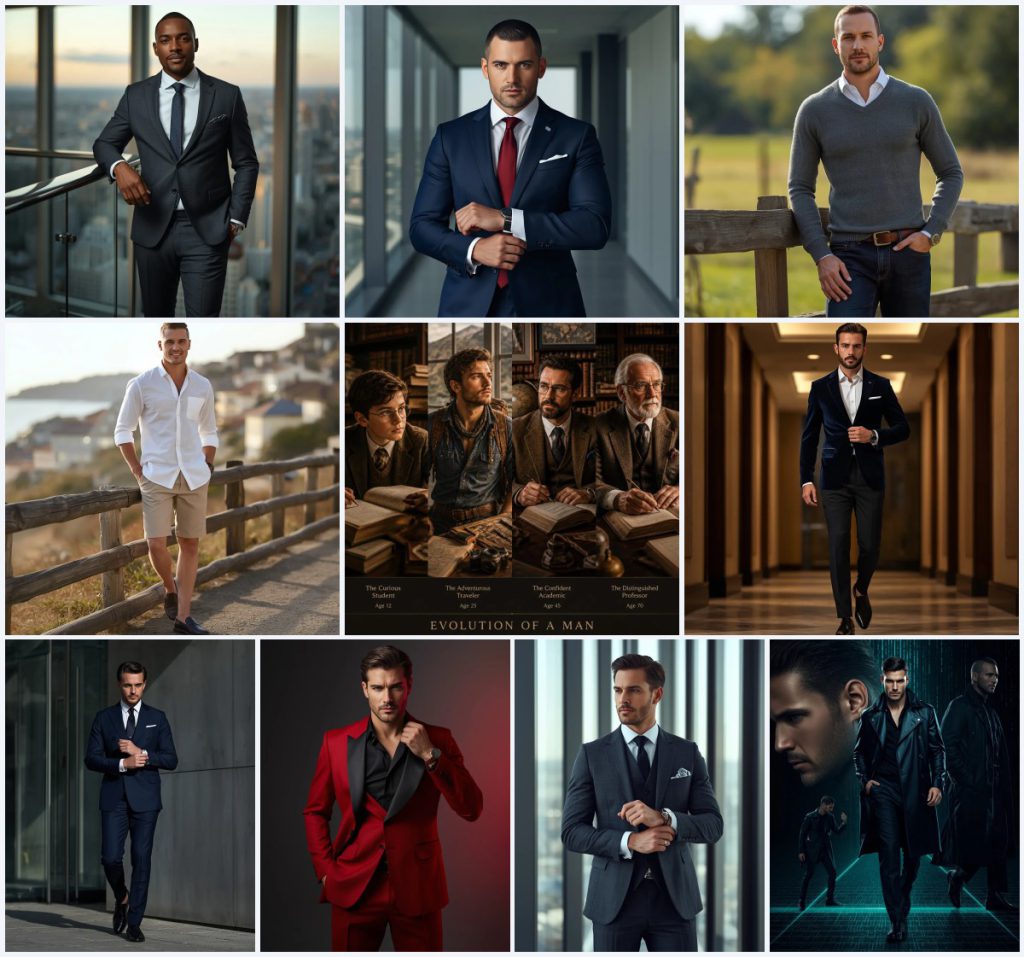
A strong profile picture does more than fill a circle on a screen. It sets a tone before a single word is read, whether the goal is a polished LinkedIn headshot, a creative social avatar, or a personal brand that feels both professional and approachable. The collection "New 10 Profile Picture AI Prompts for Men’s Professional and Engaging Online Presence" gathers ten distinct scenes that cover sharp tailoring, relaxed rural charm, coastal ease, and even a cinematic cyberpunk timeline.
This article walks through what these prompts actually contain, how to use them with an uploaded reference photo, which AI tools handle them well, and where things commonly go wrong. It is written for anyone who wants a realistic, high-resolution male portrait without booking a studio, and who is willing to spend a little time refining hands, faces, and the main garments that carry each look.
What this men’s profile picture prompt collection is asking for
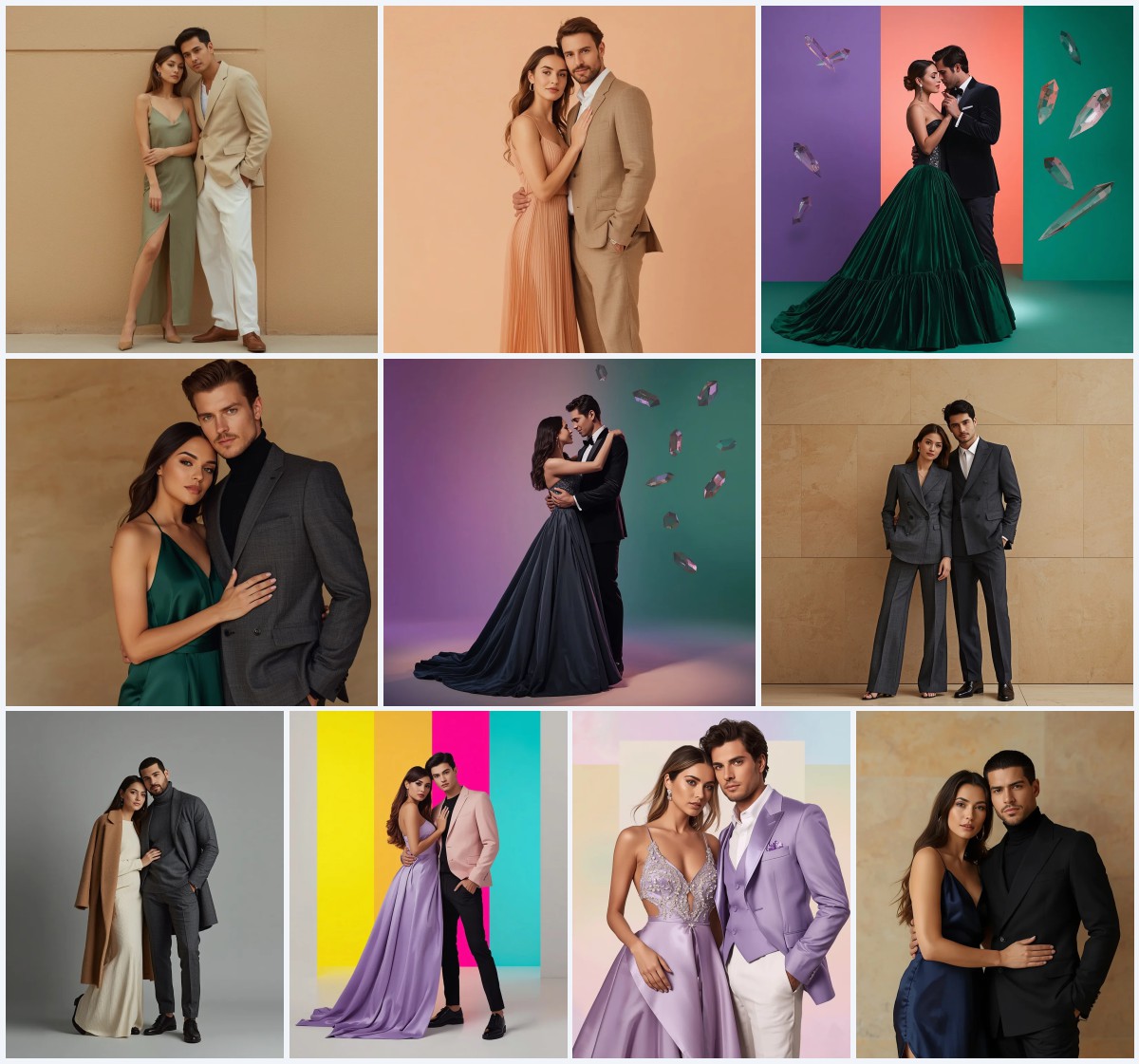
The set is built around full-body male portraits with a clear professional or aspirational mood. Most prompts describe a specific suit or outfit, a pose, a facial expression, and a background that supports the character. The language leans on realism cues such as 8K resolution, ultra-realistic textures, cinematic depth, and clean composition, so the model is pushed toward photographic detail rather than illustration.
- A tailored charcoal grey suit with a crisp white shirt and a subtle patterned tie, leaning against a sleek glass balustrade.
- A navy blue suit with a deep red silk tie, one hand adjusting a cuff in a modern high-rise office.
- A fitted grey knit sweater over a white collared shirt, paired with dark wash jeans and leather boots against a rustic wooden fence.
- A crisp white linen shirt with rolled-up sleeves, tailored chino shorts, and casual loafers in a sunlit coastal town.
- A navy blue velvet suit jacket with black trousers, walking through a high-end hotel hallway with warm wood panels.
- A futuristic cyberpunk leather trench coat with sleek trousers, set against a glowing digital matrix background.
The shared scene across these male portrait prompts
Every prompt places a man in a specific environment that matches his outfit. The charcoal suit prompt sets him against "a contemporary city high-rise interior with panoramic window views of a bustling cityscape at golden hour," while the knit sweater prompt moves him to "a charming, sunlit rural setting with blurred greenery." The white linen shirt prompt shifts again to "a charming, sunlit coastal town with blurred ocean views." The common thread is that the background is described with enough detail to create depth without stealing focus from the subject.
Poses are also consistent. Most prompts call for a full-body pose, often with "one hand in his pocket" or "one hand subtly adjusting his cuff." The velvet suit prompt uses "walking forward with a confident, relaxed stride," and the double-breasted suit prompt has him "walking confidently toward the camera, adjusting his cufflinks with one hand." These small actions give the image movement and a believable, editorial feel.
Why these prompts work for an engaging online presence
First, they separate professional from casual without losing personality. A viewer can instantly read the charcoal suit as boardroom-ready and the knit sweater as weekend-approachable, which makes the same person feel multidimensional across different platforms. Second, the prompts specify lighting and texture, such as "soft, warm ambient light" or "cinematic lighting emphasizes the rich velvet texture," which helps the model produce images that look photographed rather than generated. Third, the variety inside one collection means you can test several identities quickly, then keep the two or three that match your actual brand.
- Clear professional and casual lanes for different platforms.
- Lighting and texture cues that push toward photographic realism.
- Multiple identities to test quickly before committing to one look.
Three styles inside this collection
This collection contains three main styles, not five. Each one stays inside the prompt text and changes only the mood, not the underlying realism.
- Corporate editorial: The charcoal, navy, and double-breasted suit prompts use "high-end editorial photography, cinematic lighting, sharp focus, ultra-realistic textures, 85mm, 8K, premium corporate aesthetic" to create a polished business portrait.
- Relaxed natural: The knit sweater and white linen shirt prompts rely on "soft, natural daylight" and "blurred greenery" or "blurred ocean views" for a warm, approachable, lifestyle feel.
- Cinematic timeline: The evolution collage and cyberpunk prompts use "warm nostalgic lighting" and "glowing digital matrix background" to tell a story across time or genre.
How to turn these prompts into a usable profile picture
Start by choosing the one prompt that matches the platform and the impression you want. Then follow a short, repeatable workflow so the result stays realistic and consistent.
- Copy the prompt. Paste the full prompt text into your chosen AI image tool without shortening the outfit, pose, or lighting clauses.
- Upload a reference. Add a clear, well-lit photo of your face or the person you have permission to depict, so the model can match features and skin tone.
- Generate the first batch. Run four to six variations at once, keeping the same prompt and reference, to see which pose and background work best.
- Check hands and face. Zoom in on fingers, cuffs, and jawline, because these are the areas most likely to look distorted or overly smooth.
- Check the main object. Inspect the suit, sweater, or trench coat for correct lapels, buttons, fabric texture, and color consistency.
- Upscale and export. Use the tool’s upscale or enhance feature, then export at the highest resolution available for a crisp profile picture.
Choosing the reference photo
The reference photo controls how much the final image actually looks like the person you intend to portray. A good reference makes the difference between a generic model and a believable portrait.
- Use a front-facing or slightly angled headshot with even lighting and no heavy shadows across the face.
- Avoid sunglasses, hats, or anything that hides the eyes, jawline, or hairline, since the prompts describe short neat haircuts and groomed or clean-shaven faces.
- Keep the background simple and uncluttered so the AI does not blend unrelated objects into the suit, sweater, or coastal scene.
Which AI tools handle these prompts best
Each platform has a different strength. The table below compares access, typical realism, and what each tool is most useful for with this specific collection.
| Tool | Access | Typical realism | Useful here for |
|---|---|---|---|
| ChatGPT | Free and paid tiers | Good for composition, moderate for photoreal skin | Drafting variations of the charcoal suit and navy blue suit prompts before committing to a final render. |
| Google Gemini | Free and paid tiers | Strong on lighting and scene logic | Testing the golden hour cityscape and coastal town backgrounds with natural daylight. |
| Leonardo AI | Free credits, paid plans | High realism with fine texture control | Rendering the velvet suit jacket and leather trench coat textures with sharp highlights. |
| Midjourney | Paid subscription | Very high realism and cinematic depth | Producing the cyberpunk timeline collage and the tweed jacket elder professor scene with 8K detail. |
Three practical tips for better results
Small adjustments to the prompt and the reference can fix most weak outputs. Keep the following in mind when you generate.
- If the charcoal grey suit looks flat, add a note about fabric weave and "ultra-realistic textures" to bring out the wool grain.
- For the knit sweater and white linen shirt prompts, keep the background blur strong so the "rustic wooden fence" or "blurred ocean views" do not compete with the face.
- When generating the crimson red wool suit with black silk lapel, check that the lapel color stays black and does not bleed into the shirt.
Common issues and how to fix them
Even strong prompts can fail in predictable ways. The table below lists the most likely problems with this collection and the exact change to make.
| Issue | What to change |
|---|---|
| Hands look melted or have extra fingers | Add a clause like "natural hands, five fingers, relaxed pose" and regenerate the full-body pose. |
| Face does not match the reference | Upload a sharper, front-facing reference and reduce the number of variations per run. |
| Suit buttons or lapels are wrong | Specify "single-breasted" or "double-breasted" and mention the exact button count in the prompt. |
| Background is too busy or distracting | Add "shallow depth of field" or "blurred background" to keep the focus on the man and his outfit. |
Frequently Asked Questions
Can I use these prompts for a LinkedIn profile picture?
Yes. The charcoal grey suit, navy blue suit, and double-breasted suit prompts are the most appropriate for LinkedIn because they use professional lighting, clean compositions, and corporate editorial language.
Do I need a reference photo to get a good result?
A reference photo is strongly recommended if you want the portrait to resemble a specific person. Without one, the AI will invent a face, which is fine for a generic avatar but not for a personal brand.
Which prompt in this collection is best for a creative or edgy profile?
The cyberpunk leather trench coat prompt and the evolution collage prompt are the most creative. They use a glowing digital matrix background and a cinematic timeline format, which suit gaming, art, or tech profiles.
Conclusion
This collection gives you ten distinct directions for a male profile picture, from a tailored charcoal suit in a high-rise office to a futuristic leather trench coat against a digital matrix. The prompts are detailed enough to produce realistic textures and lighting, but they still leave room for your own reference photo and small adjustments. Choose the scene that matches your platform, follow the workflow, and check hands, face, and the main garment before you export the final image.
Only edit and upload a photo you have the right to edit, especially when a reference image includes another person’s face or identity.